
Export in 3 seconds
Export Asana to PDF: Beautiful Client Reports
Stop wasting hours copying tasks into Word or Excel. Generate beautifully branded, customizable PDF reports directly from your Asana workspace in seconds.
Your first export is 100% free • No credit card required
Stop the copy-paste madness: Automate your Asana PDF exports
Preparing a weekly status report shouldn't take longer than the work itself. No more messy spreadsheets, missing formatting, or manual data entry.
Your reports, your brand
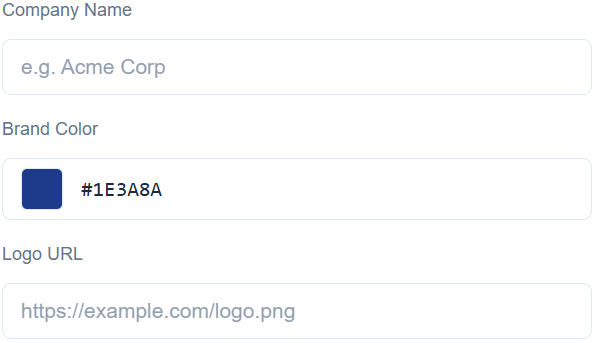
Apply your agency's logo, set your brand colors, and add custom company names. The final PDF looks like a premium, hand-crafted document from your team, not a generic system export.
Export only what matters
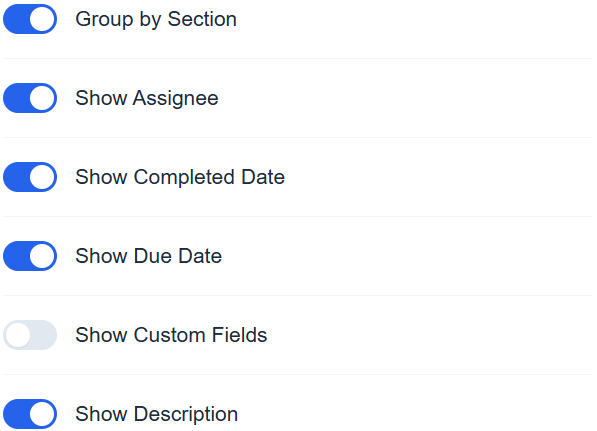
Keep internal discussions private. Toggle task descriptions, custom fields, assignees, and due dates on or off with a single click. Share only the high-level progress your clients need to see.
Pinpoint exact tasks
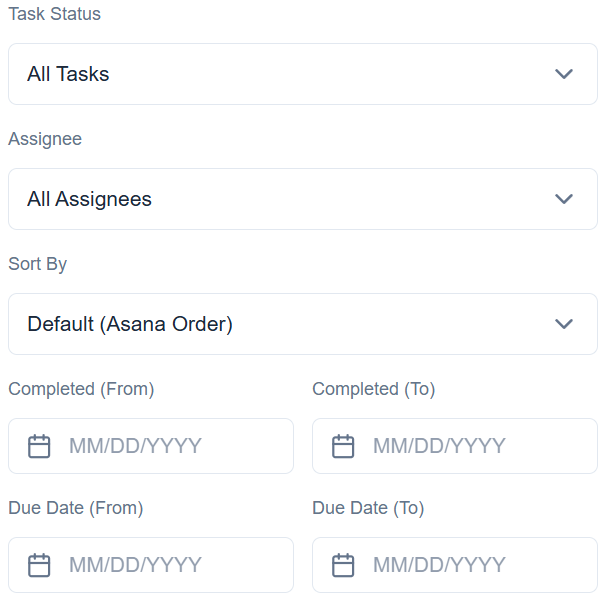
Don't overwhelm your clients with a flat list of tickets. Group tasks beautifully by Asana sections to keep your project structure intact. Use advanced filters to isolate completed work from last week, sort upcoming deadlines, or filter by specific assignees.
How to export Asana to PDF in 3 steps
1
Connect
Log in with your Asana account. We load your projects securely and instantly on-demand.
2
Customize
Select a project, apply your brand identity, and toggle the visible fields.
3
Export
Click download and get a perfectly formatted, print-ready PDF in seconds.
Frequently Asked Questions
Everything you need to know about TaskExport and how it handles your data.
Why can't I just use Asana's built-in "Print to PDF"?
Browser print-to-PDF captures the entire Asana interface, including sidebars, menus, and internal comments. It often results in broken layouts and dozens of blank pages. TaskExport generates a clean, structured document focused only on the data your client actually needs to see, wrapped in your company's branding.
Is my Asana data and client information secure?
Absolutely. We use Asana's official OAuth 2.0 protocol, meaning we never see your password. We request read-only access, pull the data solely to generate your PDF in memory, and immediately discard it. We do not store your tasks, projects, or client data on our servers.
Does it support Asana Custom Fields?
Yes! All your custom fields (dropdowns, text, numbers, dates) are fully supported. You can toggle specific custom fields on or off before exporting, ensuring internal metrics stay private while client-facing status updates are included in the final PDF.
How exactly does the "24-Hour Pass" work?
The $4 pass gives you unlimited, watermark-free PDF exports and full white-label branding for exactly 24 hours. It's a one-time payment, not a subscription. It’s perfect for freelancers or managers who only need to prepare a major report once a month or for a specific client meeting.
Can I test it before paying?
Yes! Your very first export is 100% free and includes all premium features, so you can see exactly how beautiful your customized PDF looks before spending a dime.
Simple, transparent pricing
Your first export is on us. After that, choose the plan that fits your workflow.
24-Hour Pass
$4
Perfect for occasional reports, meetings, or project wrap-ups. One-time payment, no hidden fees.
- Unlimited exports for 24 hours
- Full White-labeling
- Custom fields support
- Advanced task filtering & sorting
Best Value
Monthly Subscription
$29/mo
For agencies and managers who report to clients or stakeholders regularly. Cancel anytime.
- Unlimited PDF exports
- Full White-labeling
- Custom fields support
- Advanced task filtering & sorting
Enterprise-grade privacyWe never store your Asana tasks, projects, or generated PDFs. Your data is processed on-the-fly and immediately discarded.
Ready to impress your clients?
Join product teams and agencies who stopped wasting time on manual reports.